3D PDF Exporter for AutoCAD

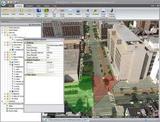
3D PDF Exporter for AutoCAD is a plug-in that allows AutoCAD users to export their 3D models to PDF files.

Export using custom templates

The 3D PDF Exporter add-in for AutoCAD allows users to share their 3D models as a 3D PDF. The new design template allows users to easily create stunning templates. The add-in includes sample templates that can be customized in just a few clicks to reflect the spirit of a product.

Main features

Exportação de Modelos 3D
Compatibilidade com AutoCAD
Visualização Interativa em PDF
Integração com Fluxos de Trabalho
Suporte a Anotações e Medidas

Full description

Request a quote

Austes

Projects created in 2D in AutoCAD can also be exported along with the 3D models to 3D PDF files.

Benefits:

  • The 3D PDF Exporter for AutoCAD allows AutoCAD users to export their 3D models to popular PDF file formats;
  • Files created in the 3D PDF exporter for AutoCAD can be designed and customized using the SimLab designer template;
  • The plugin is the best way to share 3D models with other users without the risk of losing details;
  • Browsing, creating and exporting 3D models is extremely easy and can be easily mastered by all users.

How to use the plugin

After installing the add-in, it will automatically register with AutodeskCAD and add a new PDF export application to the SimLab tab in AutoCAD.

The user can register the user license by clicking the Register button or by clicking the Export to PDF button.

Before exporting PDF files, the user must select a template to use when exporting PDF files. Click the PDF Settings button to open the PDF Settings dialog box and select the template you want to use to configure the other PDF settings.

The plugin user can select from several available model formats to export 3D files to PDF or can create/edit models using SimLab Designer.

To export AutoCAD models to PDF, click the Export PDF button. The Scene Manager dialog box will appear; on the Cameras tab, you can select the cameras to include in the export and then click OK. The Export dialog box will open. Select the name and location of the new 3D PDF file and click Save.

Request a quote

By clicking "Submit," you agree to allow Software.com.br to contact you using the information provided to send quotes and communications related to your order. For more details on how we protect and use your data, please see our Privacy Policy. Privacy Policy and Terms of Use

Related products

Serv-U MFT software is a powerful tool that allows you to support file transfer and secure file sharing from your own data center.

Increase security and control of transfers in and out of your organization

Main features

  • Reliable FTP server software for secure file transfer
  • Ad hoc file sharing for easy file sending and requesting
  • Transfer files anytime, anywhere from the web and mobile devices
  • Upload and download large files quickly and easily
  • Centralized file transfer and automation
  • maintain regulatory compliance


Hire faster and with confidence.

Automate resume screening and find ideal candidates for your organization.

  • Close top talent 40 % faster
  • Stay compliant and safe
  • Candidates verified in less than 36 hours


Learn more about these topics with the description below.


Pentaho Big Data Analytics

Network mapping software designed to map your network automatically

Main features

  • Automate device discovery and mapping;
  • Create multiple maps from a single scan;
  • Perform multi-tier network discovery;
  • Automatically detect changes in network topology;
  • Export network diagrams to Visio;
  • Addressing PCI compliance.


By clicking "Submit," you agree to allow Software.com.br to contact you using the information provided to send quotes and communications related to your order. For more details on how we protect and use your data, please see our Privacy Policy. Privacy Policy and Terms of Use

en_US